WORKSHOP CONTROL / LIVE
Your whole workshop. One connected workflow.
Menu

Workshop Pulse

Category: Uncategorized

  • How to Track Job Status in a Garage Without Chasing Techs

    How to Track Job Status in a Garage Without Chasing Techs

    Job status goes missing in most busy garages for the same reason: it lives in people’s heads, on a paper job card that only one person can see, or in a message thread nobody has time to scroll. If you run a garage with three to six technicians, you know the feeling. You walk the floor to find out where a car is up to, because asking is quicker than looking.

    This guide is a practical way to track job status in your workshop without chasing technicians for updates. It covers why status slips, what it actually costs you, a simple five-stage system you can run tomorrow, and how to keep the whole team on the same page from booking to invoice.

    Why job status goes missing in a busy garage

    Status rarely goes missing because anyone is careless. It goes missing because the system holding it was never really a system. A job card sits on a bench, a note gets typed into a spreadsheet at the front desk, a technician sends a photo on WhatsApp, and the service adviser keeps the rest in their memory.

    At three to six technicians, that informal approach breaks in a specific way. There is enough work volume that jobs overlap and get handed over constantly, but the team is still small enough that nobody owns the process. Everyone assumes someone else knows where the car is up to, and the customer is the last to find out.

    The handover between front desk and technician is where status is lost. The job is booked with one person, worked on by another, and invoiced by a third. Unless there is a shared record that updates as the job moves, each person is working from a different version of the truth.

    What unclear job status actually costs you

    When nobody can see status at a glance, the cost shows up in predictable places. Bays sit idle while a technician waits for an answer that was already given. Someone re-keys the same details from the job card into an invoice. The customer rings for an update that nobody can give with confidence.

    There is also the admin that spills past closing. Updating records, chasing approvals and tidying job cards after hours is time you are not getting paid for. None of this is a dramatic failure. It is a steady drip that quietly eats capacity in a workshop that is already busy.

    A simple status system that works on a busy floor

    The fix is not a complicated workflow. It is a small set of clear stages that every job passes through, visible to everyone, updated in one place. Five statuses cover almost every job in a typical garage.

    Booked

    The job is on the diary with a time, vehicle and customer. Nothing has started, but the whole team can see it coming. This is where parts and vehicle details can be checked before the car arrives, so the bay is not blocked on the day.

    In progress

    A technician is on the job now. This is the status that answers the customer’s most common question without anyone walking the floor. When it is visible on a shared job sheet, the front desk can answer with confidence.

    Waiting on parts or approval

    The job is paused, and the reason is recorded. Waiting on parts and waiting on customer approval are very different problems, so keep them clear. A workshop that can see what is stuck and why can chase the right thing instead of guessing.

    Ready for collection

    The work is done and checked. The customer should be told now, while the car is fresh in their mind, so the bay can be freed up. Miss this stage and you lose paid capacity to a car sitting on site.

    Invoiced

    The job is complete, the invoice is raised, and payment tracking starts. Handing this straight off from the job sheet saves re-keying the same details a second time.

    Keeping the whole team on the same page

    A status list is only as good as the record behind it. If the stages live on a whiteboard or in one person’s diary, you are back to chasing. The point of a connected job sheet is that the same job record carries the details from booking and quote through job sheet, invoice and payment tracking.

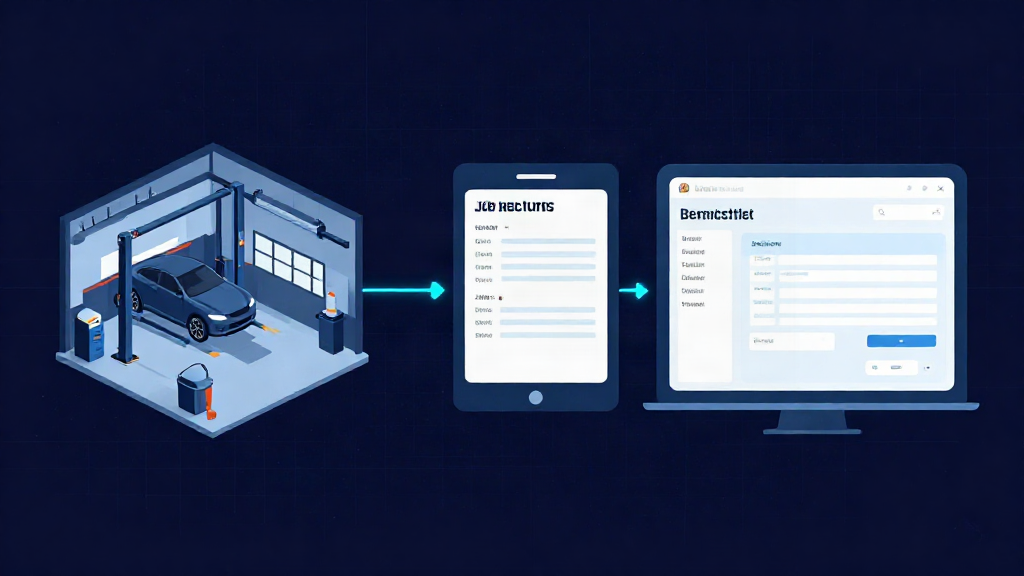
    That means the technician can update progress from a phone or tablet at the vehicle, without walking to the office. The service adviser sees the same status at the front desk. Handovers become a glance at the record rather than a conversation across the workshop, and both people are looking at the same thing.

    This is the core of how Workshop Pulse is built: your whole workshop, one simple app, one job record from booking to invoice. It is designed for exactly this size of garage, where a team of three to six needs a shared view without adopting something heavy.

    How to set it up without disrupting the workshop

    Start with the five statuses above and resist adding more on day one. Agree who sets each one: usually the front desk on booked, the technician on in progress and waiting, and the front desk on ready and invoiced. Ambiguity over who updates what is what makes a system drift.

    Then run it on one real job, not a trial project in the background. Pick the next booking coming through and move it through every stage as a team. You will spot the gaps in a single afternoon, and you will have proof on a real job before you change anything else. Once that workflow is clean, it is a short step to the rest of the diary.

    Mistakes that keep status messy

    Too many statuses is the most common one. If a technician needs to think about which of twelve stages applies, they will not update it. Keep the list short enough to use without thinking.

    A close second is status that nobody owns, so it only gets updated when someone remembers. The third is a system only the front desk can see. If technicians cannot update a job where they are standing, the record will go stale by lunchtime, and you will be back to walking the floor.

    Where to go from here

    You do not need to rebuild your whole workshop to fix this. Pick the five statuses, put them in one shared place, and run one job through them from booking to invoice. If you would rather see how a connected job sheet handles that workflow first, a real person can walk you through it on a guided phone demo, answer your questions, and help you judge whether it fits your garage before you commit to anything.

    Book a guided phone demo at https://workshoppulse.co.uk/#demo and we will arrange a time that suits the workshop, not a sales script.

  • Garage Websites: What to Include and How to Connect Them

    A good garage website does three jobs: it tells a driver you can do the work, shows them how to reach you, and puts their request straight into your diary. The third job is where most independents lose time. A site that sends enquiries to an inbox still leaves someone retyping names, registrations and dates into the workshop system. A site connected to your garage management software removes that step. That is why our garage website sits inside Workshop Pulse, with online booking feeding the same diary your team already works from.

    This guide covers what a small garage’s website needs, how to handle booking and quotes, and how to avoid the double entry that eats your afternoons.

    Workshoppulse
    Connect Online Bookings to Your Workshop
    Workshop Pulse brings online booking into the same diary your team uses, with customer and vehicle details recorded in one system.

    Visit

    TL;DR

    • A garage website must answer four questions fast: what you do, where you are, when you are open and how to book.
    • Say plainly whether an online booking is a confirmed slot or a request. Never show “booking confirmed” for a mere enquiry.
    • Keep services, prices, hours and address identical on your site and your Google Business Profile.
    • The biggest saving comes from connecting the website to your workshop software, so bookings arrive in the diary with the vehicle and customer already recorded.
    • Workshop Pulse plans include optional garage website integration with online booking, with a 14-day trial and no payment details needed.

    Table of Contents

    What a garage website is actually for

    Most visitors arrive with a specific problem: an MOT is due, a warning light has come on, a tyre is flat. They are usually on a phone, often in a hurry, and they search for things like “MOT near me” or the type of work plus the town. They are not browsing for your life story. They want to know whether you can do the job, where you are, when someone can look at the car and how to ask.

    So the site has to be built around action, not decoration. If a driver cannot find your phone number, opening hours or a booking button within a few seconds on a mobile screen, they go to the next garage in the search results.

    There is also a staff-side purpose that rarely gets mentioned. Every enquiry that arrives incomplete (no registration, no idea of the service wanted, no preferred day) costs a phone call to fix. A well-built site collects the right details once, so your service advisor or owner is not chasing basics.

    The pages and details every independent garage needs

    You do not need a large site. For a small workshop, a handful of clear pages beats a sprawling one.

    Homepage

    It should say what you do, where you are and how to book, all above the fold. Put the phone number as a tap-to-call link, add a booking button and show opening hours near the top. If your hours change for bank holidays or Christmas, update them there first.

    Services

    List your work in plain English and group it sensibly: servicing, brakes and suspension, diagnostics, tyres, air conditioning, MOT. If you handle particular vehicles or specialist jobs such as hybrids, EVs or clutches, say so. Drivers rule garages out quickly when the site does not mention their kind of car or job.

    Pricing

    The maximum fee a test station can charge for a car MOT is £54.85, set by the government, and many independents charge less. If you do, say it on the page. For servicing and repairs, publish the prices you can stand behind and what they include. Where a price depends on diagnosis, explain how you quote and promise to call before doing any extra work. Avoid presenting an estimate as a final price.

    About and trust

    Use real photos of your team and workshop, not stock images. Show recent Google reviews with the star rating, and add accreditation logos only for schemes you genuinely hold. Claiming an approval you do not have is a legal risk as well as a reputational one.

    Contact

    Address, map, phone, email and hours should be easy to find, and ideally appear on every page. Make them match your Google Business Profile exactly. Mismatched hours or addresses confuse customers and weaken your local search visibility.

    Making local search work for you

    Most of your customers live within a few miles, so local visibility matters more than national reach. The basics are unglamorous:

    • One page per main service, with the town or area mentioned naturally in the text.
    • Clear page titles and headings that say what the page is about.
    • An accurate, complete Google Business Profile with the same name, address, phone number and hours as your site.
    • A site that loads quickly on a mobile connection.
    • Structured data (the hidden markup that tells search engines your opening hours, services and location) if your site builder supports it.

    A useful habit: once a month, search for your own services plus your town on your phone, as a customer would, and check what appears. If the hours shown are wrong or the booking link fails, fix it that day.

    Online booking, enquiries and quote requests

    Booking is where a garage website either earns its keep or creates extra work. Drivers often decide in the evening, long after you have closed, so a site that can take a request at 9pm will catch work that a phone number alone cannot.

    Confirmed slot or request: say which

    This is the most important design decision. A customer who believes a slot is guaranteed and then gets a call to rearrange it has had a worse experience than one who knew from the start that you would confirm. Choose one of two honest models:

    1. Live booking: the customer sees only the slots actually free in your diary and takes one. The confirmation message is genuine.
    2. Request form: the customer asks for a day, and you confirm. The message says “request received”, never “booking confirmed”.

    Live booking only works properly when the website can see your real diary. That means a connection to your workshop software, not a separate calendar someone has to keep in step by hand.

    Keep the form short

    Ask for what you need to book the job and nothing more: name, phone or email, vehicle registration, the service wanted, a preferred date and a notes box. Every extra field loses you some customers.

    The registration number is the most valuable field. Used with a vehicle lookup, it can fill in make, model and fuel type and bring up MOT history, so the customer confirms the car instead of typing details and your team starts with the right vehicle record.

    Keep the form short

    Quote requests

    For repair work, let customers add a short description and, if possible, a photo. That lets you give a rough indication before the car arrives, and it filters out jobs you do not take on. Be clear that the figure is an estimate until the vehicle has been inspected.

    Reminders bring customers back

    MOT and service reminders are some of the easiest repeat work a garage can win. Drivers can already get a reminder from the DVSA about a month before the test is due, so many start searching at that point. If you offer your own reminder sign-up, handle consent properly under UK GDPR and make it easy to opt out.

    The real saving: connect the website to your workshop software

    Most garage websites are built and run separately from the workshop system. The website lives with a web designer, the diary lives on paper or in a spreadsheet, and the job cards, invoices and service history live somewhere else again. Each handover is a chance for a mistake: a booking that never made it into the diary, a registration typed wrongly, a customer entered twice.

    When the website is part of the same platform as the diary, a booking made online becomes a booking in your diary, tied to a customer and a vehicle. From there it can become a job card, then a quote or invoice, then part of the vehicle’s service history, without anyone retyping it. That is the whole point of a connected workshop, and it is the reason we offer the website as part of Workshop Pulse rather than as a separate product.

    Online booking flowing into workshop records

    You can see what an online booking page looks like for a real workshop in our ATC Repair Centre booking preview. For the diary side, see how garage booking and MOT diary software keeps bookings in one shared view.

    What this removes from your week

    • Double entry between an enquiry inbox and the diary.
    • Double-booking, because customers see what is genuinely available.
    • Missed work from calls you could not answer. If phones are your weak spot, read how to stop missing customer calls at your garage.
    • Lost context: the customer, vehicle and history are already attached when the car arrives.

    For a wider look at cutting paperwork beyond the website, our guide on how to reduce admin in a garage walks through the rest of the workflow.

    DIY, agency or built into your software?

    There are three routes to a garage website, and the right one depends on how much time you have and what you want the site to do.

    Route Time from you Booking connects to your diary? Best when
    Website builder you run yourself High: you write, update and fix it Usually not You have spare evenings and a simple brochure site in mind
    Custom build by a web agency Medium: briefing, approvals, later changes Only with extra integration work You want a bespoke design and have a budget for it
    Website integrated with your workshop software Low: set up with onboarding support Yes, bookings go into the diary You want the site to work with your jobs and invoices

    For a small independent, the third route is the practical choice. The site exists to feed the workshop, so it makes sense for it to be part of the workshop’s system. It also means one login, one supplier and one place to call when something needs changing.

    How Workshop Pulse handles it

    Workshop Pulse is garage management software built for small independent UK workshops. It covers booking, quotes, digital job cards, parts recording, invoices, payments and service history in one system. The Core, Core Plus and Core Pro plans include unlimited employees, onboarding support and optional garage website integration with online booking.

    The prices published on our site are:

    • Core: £149 per month per garage.
    • Core Plus: £299 per month per garage.
    • Core Pro: no published price; see the plans page.
    • Standard 3-page garage website onboarding: £149 one-off.
    • Domain and hosting renewal: £99 per year.

    Core standard onboarding is £395 one-off and Core Plus standard onboarding is £795 one-off. Onboarding is guided, and you can reach a person by phone or WhatsApp, not just a help article.

    The customer portal lets customers see their vehicle’s work, and the vehicle lookup and MOT history tools cut down typing at the front desk. If you would like to see it before deciding, there is a 14-day free trial that needs no payment details, or you can book a demo.

    Workshoppulse

    A practical checklist before you publish

    Run through this before your site goes live, and again every quarter.

    1. Can a stranger find your phone number, hours and booking route in five seconds on a phone?
    2. Does the services list match what you really do, in words a driver would use?
    3. Are your prices accurate, with what is included, and is any estimate labelled as one?
    4. Do the address, hours and phone number match your Google Business Profile exactly?
    5. Does your booking message say honestly whether the slot is confirmed or requested?
    6. Does the form ask only for what you need, including the vehicle registration?
    7. Are the reviews recent and the photos your own?
    8. Do you show only accreditations you hold?
    9. Do bookings arrive in your diary without retyping?
    10. Are bank holiday and Christmas hours updated?

    The last item before any of the others is worth repeating: if question nine is a “no”, that is where your time is going.

    What to measure

    Traffic alone tells you little. Count what matters to a workshop: completed booking requests, tap-to-call actions and how many enquiries turn into jobs. If lots of people visit but few book, the problem is usually the booking route, the form length or unclear pricing, not the number of visitors.

    FAQ

    How many pages does a small garage website need?

    A homepage, a services page, an about page and a contact page cover the essentials. Add separate pages for your main services, such as MOT or servicing, once you have time, because each one can match a specific local search. Our standard garage website onboarding covers a 3-page site, listed at £149 one-off.

    Should I show prices on my garage website?

    Yes, where you can stand behind them. The maximum car MOT fee is set by the government at £54.85, so if you charge less, say so. For repairs, publish typical prices with what is included, or explain how you quote and that you will always call before extra work.

    Is online booking worth it for a small garage?

    It is most worthwhile when it feeds your diary directly. Customers can book outside opening hours, and your team does not retype anything. It works best when the page makes clear whether the slot is confirmed or needs your confirmation.

    Does the website have to be separate from my workshop software?

    No. With Workshop Pulse, garage website integration with online booking is optional on the Core, Core Plus and Core Pro plans, so bookings can go into the same diary your team uses for jobs and invoices.

    What should I check on my Google Business Profile?

    Make sure your name, address, phone number, opening hours and services match your website exactly, including bank holiday hours. Inconsistent details confuse customers and weaken local search results.

    Sources

    Written with the help of BabyLoveGrowth

  • Digital Vehicle Inspections: A Guide for Independent Garages

    A digital vehicle inspection replaces the paper checksheet with a tablet or phone. The technician records each item, adds photos or video, and the customer receives the report on their own phone. It pays off most when it sits inside the same system as your bookings, job cards, quotes and invoices, so that nothing is typed twice. Workshop Pulse is built on that idea: one connected system for the whole job, with video health checks as part of how a garage shows customers what it found.

    Workshoppulse
    Keep Workshop Records Connected
    Keep workshop records connected across bookings, job cards, quotes and invoices with Workshop Pulse, built for independent UK garages.

    TL;DR

    • A digital inspection is a structured checklist completed on a tablet or phone, with photos and video attached to each finding and sent to the customer.
    • The value is in the customer conversation: customers can see the worn part, so approving work is a simpler decision.
    • UK data suggests the real gap is not spotting faults but getting them authorised, so the report has to lead straight into a quote.
    • Choose software where the inspection feeds the job card, quote, invoice and vehicle history, rather than a stand-alone app.
    • Set a simple routine first (what you check, who sends it, when you follow up), then let the software enforce it.

    Table of Contents

    What a digital vehicle inspection is

    Most UK garages already do some form of vehicle health check. Professional Motor Mechanic describes the usual pattern: it is typically offered free when a customer books a service, MOT or repair. It is a visual check of wheels, tyres, brakes, underside, bonnet, fluids, lights and electrics, with the findings reported on a red, amber and green checklist.

    A digital vehicle inspection (you will also see electronic vehicle inspection, electronic health check or eVHC) does the same job without the clipboard. The differences that matter:

    • The checklist is on a screen. Every item has to be marked, so nothing is skipped because the sheet got greasy.
    • Evidence is attached to the item. A photo of a split tyre sidewall or a short video of a leaking shock absorber sits next to the line it relates to.
    • The report is delivered digitally. The customer gets a message with the findings, rather than a handwritten sheet or a phone call that is forgotten by the afternoon.
    • The record is stored against the vehicle. Next time the car comes in, you can see what was found, what was declined and what was done.

    In short, it is the same inspection you already do, with the proof and the paper trail built in.

    Why it matters: the gap is authorisation, not diagnosis

    Garages rarely struggle to find faults. They struggle to turn a finding into an agreed job. The Bumper Automotive Aftersales Report 2025/26 found that in 70% of health checks where red, safety-critical issues were identified, drivers did not authorise all the urgent items. The same report puts the average UK repair bill at £597.48 in 2025, up 26% since 2021, and says 47% of affected drivers declined advisory (amber) items.

    Cost pressure is part of the story, but trust is the other part. A customer who is told over the phone that the rear discs are worn has to take your word for it. A customer who watches a 20-second clip of the scoring on the disc is deciding about their own car. Professional Motor Mechanic reports that this kind of transparency builds trust and increases repeat business, and that images and video recorded per item help the customer decide whether to have the advised work carried out.

    Scoring visible on a worn rear brake disc

    There is a second, less obvious benefit for independents. The Independent Garage Association positions the Trust My Garage code as a badge of quality for the independent sector, with members audited on service and working practices. That code, in its 2025 version, requires members to agree quotations or estimates with the customer before work starts, not to fit parts the customer has not agreed (including extra work spotted during the job), to avoid high-pressure selling, and to issue a final invoice that itemises parts, labour, additional charges and VAT. A timestamped inspection report with a customer approval against each line is a practical way to show that you worked that way.

    What a good electronic inspection report includes

    There is no single legal checklist for a garage health check, so the content is yours to set. A report that customers act on usually has these elements:

    1. Vehicle and customer details pulled in automatically, from the registration, so the report is tied to the right car and nobody retypes a VIN.
    2. A consistent checklist by area: tyres, brakes, steering and suspension, lights, fluids, battery, exhaust, wipers, underside. Keep the same order every time so technicians build a rhythm.
    3. Red, amber, green status on every item. Red means needs attention now (safety-related or likely to fail), amber means worth watching or doing soon, green means fine. Agree internally what each colour means and write it on the report so the customer reads it the same way you do.
    4. Measurements where they help, such as tyre tread depth in millimetres or brake pad thickness, rather than only a colour.
    5. A photo or short video for every red and amber item. Customers do not need evidence of the green ones.
    6. A plain-English note from the technician on what the issue means and what happens if it is left.
    7. A price against each advised item, or a promise of one within a stated time, so the customer can say yes without calling.
    8. The technician’s name and the date, so the report is a record, not just a message.

    Keep wording factual. “Front offside tyre 2mm on inner edge, cord visible in photo” is more persuasive than “tyre looks bad”, and it protects you if a customer later queries the finding.

    How to run digital inspections in your garage

    Software will not fix an unclear routine. Settle these steps first, then set the system up to follow them.

    1. Decide which jobs get an inspection

    Most garages do one on every service and every MOT, and on repair jobs where the car has been in for a different fault. Pick a rule and apply it every time. Customers notice when the check is offered to some and not others.

    2. Build one checklist per job type

    A full service check is longer than a quick check on a tyre job. Keep each template short enough that a technician can finish it in the time you allow, usually while the car is on the ramp. A template nobody finishes is worse than a short one everyone does.

    3. Capture evidence at the point of finding

    The photo should be taken while the part is in front of the technician, not reconstructed later. Include something for scale or context, such as the wheel or the surrounding components, so the customer can tell what they are looking at. For a noise or leak, a few seconds of video says more than a paragraph.

    4. Price red items before the report goes out

    This is where most conversions are lost. If the customer reads the report, sees a red item and then has to wait for a callback to find out the cost, their urgency fades. Whoever quotes (you, a service adviser, or the technician) should have parts and labour ready to attach. Workshop Pulse keeps parts recording, quotes and digital job cards in the same system as the inspection, so a finding can move into a quote without being re-keyed.

    5. Send it in the customer’s channel

    A text or email link that opens on a phone works for most customers. Send it while the car is still on site, so a quick yes can be given and the work done on the same visit.

    6. Follow up on what was declined

    Professional Motor Mechanic describes declined items being logged as advisories with follow-up dates that generate reminders, helping garages pick up that work later. Whatever you use, make it a rule that every declined red or amber item gets a date and a reminder. With amber items, the next service or MOT is the natural point.

    7. Keep the record against the vehicle

    When a car returns, the history should show last time’s findings. “We noted the rear tyres at 3mm in March” is a strong, honest opening to a conversation, and it is only possible if the inspection lives in the vehicle record.

    Why connected beats stand-alone

    A stand-alone inspection app solves one problem and creates another: the findings live in one place, the booking in another, the quote and invoice in a third. Someone ends up copying information between them, and that someone is usually you in the evening.

    When the inspection is part of the workshop system, the flow looks like this:

    • The booking brings in the customer and vehicle.
    • The job card opens with the right inspection template.
    • Red and amber findings become quote lines.
    • Approved lines become work on the job card, with parts recorded against them.
    • The invoice is generated from what was approved and done, with a breakdown of parts and labour, which also fits the itemised-invoice expectation in the Trust My Garage code.
    • The whole thing is stored in the vehicle’s service history.

    This is how Workshop Pulse is organised: booking, quotes, digital job cards, parts recording, invoices, payments and service history in one platform, with a customer portal and proof-of-work features for showing customers what was done. See the pages on digital job card and invoicing software and booking and MOT diary software for how those parts fit together.

    What UK garages report from using AI and digital reporting

    Some independents are going further than checklists. CAT Magazine reports independent UK garages saying AI tools are lifting efficiency by around 30%. It also cites one garage estimating a 25 to 35% cut in inbound progress-update calls, and another whose Net Promoter Score rose from 85 in November to 94 by February after adopting AI-enhanced vehicle health check reporting. These are individual garages’ own results, not guarantees, but they point to where the time goes: chasing customers and explaining work.

    If you are weighing up those tools, two parts of Workshop Pulse are relevant. The AI Virtual Receptionist answers calls, and the AI diagnostic assistant (BQM Assistant) supports technicians on diagnostic work.

    What UK garages report from using AI and digital reporting

    Fleet customers and inspection records

    If you look after vans or commercial vehicles, an inspection is more than a sales tool. It is part of a maintenance record. Operators are expected to keep evidence of safety inspections and defect rectification, and a garage that can hand over a dated, itemised inspection report with photos and a note of the repair makes its fleet customers’ compliance easier. Workshop Pulse offers Fleet Management for garages that service fleets, at £99 per month as an add-on.

    What to check when choosing garage inspection software

    Use this list when you compare options, whichever you pick:

    Question Why it matters
    Does the inspection feed quotes and the job card? Re-keying findings is where time and accuracy are lost.
    Can technicians use it on a phone or tablet at the vehicle? If it needs a desk, it will not be used.
    Are photos and video attached per item? Evidence on each red and amber line is what moves customers.
    Can customers view and approve on their own phone? Fast approval keeps the car moving through the workshop.
    Is the history stored against the vehicle? Past findings turn into future work.
    Are all your staff included in the price? Per-user pricing penalises you for adding technicians.
    Is there real onboarding and support? A new routine needs someone to help in the first weeks.

    For a small team the last two rows matter more than they look. Workshop Pulse plans include unlimited employees and onboarding support, and support is by phone and WhatsApp, with a person answering.

    Common mistakes when going digital

    • Overlong templates. Fifty lines on every car means technicians tick through without looking. Start with the items that cause failures and breakdowns.
    • Photos only of problems nobody can see. Use wide shots first, then close-ups.
    • Colour drift. If one technician uses amber for “slightly worn” and another for “will fail soon”, customers lose faith. Write the definitions down.
    • Reports without prices. A finding with no cost is a prompt to go home and think about it.
    • No follow-up date on declined work. The inspection is then a one-off cost to you rather than the start of future work.
    • Treating it as a technician-only task. Whoever speaks to the customer needs to be comfortable explaining what is in the report.

    Getting started with Workshop Pulse

    Workshop Pulse is garage management software designed by a technician for small independent UK workshops. Core is £149 per month per garage and Core Plus is £299 per month per garage, both with unlimited employees and onboarding support; Core Pro has no published price. Standard onboarding is a one-off £395 for Core and £795 for Core Plus. You can start with a 14-day trial without entering payment details, and see the options on the plans page. If you would rather see it on your own jobs first, you can book a demo.

    Workshoppulse

    For a wider look at cutting paperwork beyond inspections, the guide on how to reduce admin in a garage is a good next read.

    FAQ

    Is a digital vehicle inspection the same as a vehicle health check?

    Mostly, yes. A vehicle health check is the visual inspection a garage offers alongside a service, MOT or repair, and a digital vehicle inspection is that same check completed on a tablet or phone with photos, video and a report sent to the customer. The checklist content is up to the garage.

    Do I have to charge for a digital inspection?

    No. UK garages typically offer health checks free with a booking, as Professional Motor Mechanic notes. The return comes from clearer customer decisions, approved work and repeat visits.

    What should I do with work the customer declines?

    Record it against the vehicle with a follow-up date and send a reminder. Amber items are often best revisited at the next service or MOT. Keep the original photos so the history shows what was found and when.

    Can a small garage with a few technicians use this?

    Yes. The routine is the same for two technicians as for twenty: one checklist per job type, evidence on every red and amber item, a price before the report goes out and a follow-up date. Workshop Pulse is built for small independent teams and includes unlimited employees on its plans.

    Sources

    Written with BabyLoveGrowth’s AI writer

  • Fleet Maintenance Tracking for Garages: A Practical Guide

    Fleet maintenance tracking means keeping one live record for every vehicle you look after: what is due, what has been done, who did it and what it cost. For a small independent garage, the best way to do it is inside the same system that holds your bookings, job cards, parts and invoices, so a fleet vehicle’s history builds itself as a by-product of the work you already do. That is how Workshop Pulse is built, and the reasoning below applies whichever way you run your fleet customers.

    This guide is for garage owners, managers and technicians who service vans, company cars or small commercial fleets and want to stop chasing paper, diaries and memory.

    Workshoppulse
    workshoppulse.co.uk
    Keep Fleet Work in One Record
    Workshop Pulse connects fleet bookings, job cards, parts, invoices and vehicle history in one system for independent garages.

    Visit

    TL;DR

    • Give every fleet vehicle a single record that links its schedule, defects, job cards, parts and invoices, rather than keeping them in separate places.
    • Track time-based, mileage-based and legal dates (MOT, safety inspections) as separate schedules, so completing one never silently closes another.
    • Run every defect through the same path: report, assess, book, repair, verify, sign off.
    • Where a customer holds an operator’s licence, the operator stays legally responsible for maintenance and must keep records for 15 months, so your paperwork has to be complete and easy to produce.
    • Start with a day-one audit of every vehicle and refine the schedules as real usage data builds up.

    Table of Contents

    What fleet maintenance tracking actually covers

    There are three jobs hiding inside the phrase:

    1. Knowing what is due. Services, MOTs, inspections, tyre and brake checks, each on its own date or mileage.
    2. Recording what was done. Work performed, parts fitted, labour, cost, mileage at the time and who signed it off.
    3. Proving it afterwards. A history you can show a fleet manager, an insurer, a buyer or an inspector without rebuilding it from memory.

    Most maintenance approaches fall into three types, and it helps to know which you are selling to a customer. Corrective maintenance is repairing after something fails. Preventive maintenance is scheduled work based on time or mileage. Predictive maintenance uses telematics and diagnostics to spot wear early. Webfleet’s UK guide draws the same three-way split. For most small van and car fleets, a well-run preventive programme is where the money is: it turns breakdowns into booked jobs, and booked jobs are what a garage wants.

    Why a garage has a different problem from a fleet manager

    Most advice on this topic is written for the fleet manager who owns the vehicles. You are on the other side of the counter. You may service a local plumber’s six vans, a care provider’s twenty cars or a small haulier’s trucks, and each customer expects you to know what is due without being asked.

    That changes the requirement. You need records that are:

    • Per customer and per vehicle, so a fleet account shows all its vehicles at once.
    • Linked to the work, so the service history is the job cards, not a separate list typed up later.
    • Linked to the diary, so a due date becomes a booking rather than a reminder nobody acts on.
    • Usable by technicians, because if recording is slow they will skip it.

    A spreadsheet can list vehicles, but it cannot book the job, raise the invoice or show the technician’s notes. That gap is where duplicated typing, missed reminders and disputes about what was done come from. If you are weighing it up, our comparison of garage management software and spreadsheets sets out the difference in practice.

    Build one record per vehicle

    The foundation is a master list. For each fleet vehicle capture:

    • Registration, make, model and vehicle type
    • Which customer account and site it belongs to
    • The responsible person at the customer (the one who approves work)
    • Current mileage and the date it was taken
    • MOT due date, taken from a verified record rather than from what the customer remembers
    • Known issues and recent service history

    The registration does a lot of the work here. A vehicle lookup with MOT history and reminders means you are not typing details and guessing dates for every van on the account.

    The record should then grow with every job. A good fleet record holds scheduled dates, mileage intervals, inspection results, defect reports, repair approvals and supporting documents together, and shows what is due, why, who owns it and whether it is complete. TrackMobile’s UK guide describes the same idea. The practical test is simple: pick any van on the account and ask for everything done to it this year. If the answer takes more than a few clicks, the record is not working.

    Two habits keep it clean:

    • Never delete history. When a vehicle is sold or leaves the fleet, change its status instead. The history is what a buyer, insurer or warranty claim will ask for.
    • Attach evidence to the job. Photos, notes and supplier invoices belong on the job card, so the proof sits with the work.

    Track service schedules without missing one

    The common mistake is treating “service due” as one date. In reality each vehicle carries several clocks running at once:

    Schedule type Example Triggered by
    Time-based Annual service, six-monthly check Calendar date
    Mileage-based Oil service every set number of miles Odometer reading
    Legal MOT, safety inspections Statutory date or agreed interval
    Condition-based Brake or tyre wear found at last visit Technician’s note

    Keep these as separate schedules. A completed MOT does not mean the service is done, and the test date does not define the right service interval. TrackMobile makes the same point: servicing tasks should be set up separately from legal test dates, with their own rules for calendar and mileage so one completed reminder does not close another.

    Where mileage comes from

    Mileage-based schedules are only as good as the mileage you hold. Take a reading every time the vehicle is in the workshop and record it on the job card. If the customer supplies tracker data, check it against the odometer before relying on it, and treat any alert as a reason to investigate rather than proof that a vehicle is safe or unsafe.

    Use the manufacturer’s schedule first

    Do not wait for perfect data. Add every vehicle now, set its schedule from the manufacturer’s recommendation, and adjust as you see how the vehicle is really used. Six to twelve months of consistent logging gives you a much better picture of which vehicles need attention more often, so the discipline is to log everything from the first visit.

    Run defects through one path

    A defect is any fault a driver or technician finds. Whether it is a worn tyre on a van or a brake warning on a minibus, the same six steps keep it from getting lost:

    1. Report. Record the vehicle, the fault, the time and where it happened.
    2. Assess. A competent person decides whether the vehicle can keep running or must come off the road.
    3. Allocate. Give the job to the workshop with a target date.
    4. Repair. Record the work done and the parts used.
    5. Verify. Confirm the original defect has actually been fixed.
    6. Sign off. Keep who reviewed it, when, the evidence and the decision to return the vehicle to service.

    This is the workflow TrackMobile lays out for UK fleets, and it maps neatly onto a garage’s job card. The report becomes the booking notes, the assessment is the inspection, the repair is the job, and the sign-off is the closed job card kept against the vehicle. The weak point in most workshops is step five: a repair gets invoiced but nobody confirms the original fault is gone. Build verification into the job card as its own line.

    Photos and short videos from the inspection make step two stronger, because the fleet manager can see the fault instead of taking your word. Our page on video inspections shows how that works in the workshop, and video health checks cover getting approval for the extra work.

    Schedule repairs and coordinate jobs

    Tracking only pays off when a due date turns into a booked job. Three practices help:

    • Book ahead in batches. If a fleet customer has eight vans due within a month, offer slots across two weeks so they never lose the whole fleet at once. A shared diary view makes the gaps obvious to the whole team.
    • Check parts before the van arrives. Known defects and due services tell you what to order. Parts recorded against the job mean nothing is bought twice and nothing is missing on the day.
    • Give one person ownership of each fleet account. The diary shows who is doing what, and the customer knows who to call.

    This is where connected software beats separate tools. A booking and MOT diary that shares data with job cards and invoicing means the due-date list, the booking, the work and the bill are the same record at different stages. The customer should also be able to see progress, which is what a customer portal is for.

    What the law expects when the customer holds an operator’s licence

    If your fleet customer runs goods vehicles over the weights covered by an operator’s licence (an O-licence), the legal responsibility for roadworthiness sits with the operator, not with you. The GOV.UK guidance on maintaining goods vehicles sets out what operators must do, including keeping maintenance records for 15 months. The DVSA’s guide to maintaining roadworthiness explains how inspections, driver defect reporting and records should work in practice.

    What this means for you:

    • Operators rely on your paperwork. Your inspection sheets, repair invoices and work orders become part of their compliance file.
    • Inspection sheets need detail. A safety inspection record should identify the operator, vehicle, date and odometer reading, list the items checked and their condition, note faults and repairs, and carry the inspector’s name and signature.
    • Inspection intervals are set per vehicle. They depend on vehicle type and use, and once set they must be followed consistently.
    • If maintenance is contracted out, a written agreement matters. It should cover the vehicles, how often they are checked and the repair policy.

    If you are unsure what a particular customer’s licence requires, the operator’s own transport manager or the DVSA guidance above is the place to confirm it. For a typical small van fleet below that threshold, the main needs are MOT reminders, service schedules and good defect records, and the same system covers both.

    Demand for this kind of work is not shrinking. Transactions for service, maintenance and repair on one large UK fleet platform rose 6% in 2023 as fleets kept vehicles in service longer, which suggests more work for garages that can show clean, quick records.

    Get started in a week

    You do not need a long project. A realistic first week looks like this:

    1. Day one: audit. List every fleet vehicle with mileage, age, known issues and last service.
    2. Day two: enter schedules. Add MOT dates from verified records, then service intervals from the manufacturer’s recommendation, kept separate.
    3. Day three: link to the diary. Create bookings for anything due in the next month.
    4. Day four: brief the team. Technicians record mileage, findings and parts on every job card, with photos for any defect.
    5. Day five: review. Check the list of open defects and make sure each has an owner and a date.

    After that, a ten-minute weekly review of what is due in the next 30 days and what is still open keeps the system honest. For the wider picture on cutting paperwork, see our guide to reducing admin in a garage.

    How Workshop Pulse handles fleet work

    How Workshop Pulse handles fleet work

    Workshop Pulse is garage management software designed by a technician for small independent UK workshops. It connects booking, quotes, digital job cards, parts recording, invoices, payments and service history in one system, and every plan includes unlimited employees and onboarding support, so the whole team can record work without extra seats to pay for. Our fleet maintenance software page shows how this applies to fleet customers.

    The Core plan is £149 per month per garage and Core Plus is £299 per month per garage. Fleet Management is a £99-per-month add-on to Core and is included in Core Plus. Prices exclude VAT where applicable. Standard software onboarding is free for eligible new UK garages signing up by 31 December 2026; bespoke migration and optional extras are quoted separately. You can see everything on the plans page, and the 14-day free trial starts when your workshop is ready, needs no card and does not convert to a paid plan without your separate authorisation, so you can load a few real fleet vehicles and see how the diary, job cards and history fit together. If you would rather talk it through, you can book a demo, and we support customers by phone and WhatsApp.

    Workshoppulse

    For workshops that want to go further, the platform also has an AI Invoice Reader for supplier invoices (£39 per month as a Core add-on) and a BQM Assistant for diagnostic support (£79 per month as a Core add-on), both included in Core Plus, both of which cut repeat typing on fleet jobs.

    Common mistakes to avoid

    • One date for everything. Separate MOT, service and inspection schedules.
    • Trusting memory for mileage. Record it at every visit.
    • Closing a defect on invoice. Close it only when the repair is verified.
    • Deleting retired vehicles. Change their status and keep the history.
    • Storing records in several places. If the job card, the invoice and the history live apart, someone will eventually retype one and get it wrong.
    • Skipping the owner. Every open item needs a named person and a date.

    FAQ

    What should a fleet maintenance record include?

    At minimum: registration, vehicle type, customer and site, mileage with date, MOT date, service schedule, defects found, work done, parts, cost and who signed it off. For operator-licence vehicles, include signed inspection sheets, driver defect reports, repair invoices and MOT certificates, which should be kept for at least 15 months.

    How do I schedule fleet repairs without taking a whole fleet off the road?

    Book vehicles in batches spread across a few weeks, ordered by due date and risk. Use a shared diary so you can see capacity at a glance, order parts when the job is booked, and agree with the customer which vehicles can wait and which must come off the road after a defect assessment.

    Do I need separate software for fleet customers?

    Not necessarily. If your garage system holds vehicle records, bookings, job cards, parts and invoices together, fleet tracking is mostly a matter of grouping vehicles by customer and setting schedules. Workshop Pulse offers Fleet Management as an add-on at £99 per month for garages that want it.

    How often should fleet vehicles be inspected?

    It depends on vehicle type and use. For operator-licence vehicles, the interval is set in the operator’s maintenance programme and then followed consistently, as the DVSA guide explains. Confirm the interval with the customer’s transport manager before you schedule work.

    Sources

    Written with BabyLoveGrowth, an AI writing tool

  • Workshop Management Software for Beginners | Plain English

    Workshop Management Software for Beginners | Plain English

    If you run a small garage and you have never used workshop management software, the whole category can sound like it was built for somebody else. Dealership groups. Fleet operations. People with an IT department. It is not. Most of the systems worth looking at do one fairly simple thing: they keep one job in one place, from the first phone call to the money landing in the bank.

    This guide is the plain-English version. No acronyms, no sales language, and no assumption that you already know what a job card module is. If you are a first-time buyer, working out what you actually need is the hard part. The software is the easy bit.

    What workshop management software actually does

    A paper job card is a piece of information that lives in one place at one time. It gets written at the desk, carried to the ramp, scribbled on, walked back to the office, and then somebody retypes it into an invoice. If the customer rings to ask how the car is going, you have to physically go and find it.

    Workshop management software takes that same job and puts it somewhere everyone can see. One record for the vehicle, the customer, the work agreed, the parts used, the labour time and the invoice. When a technician adds a note, the front desk sees it. When the adviser adds a part, the invoice picks it up. Nothing gets typed twice, because there is only one place to type it.

    That is really the whole idea. Everything else – the customer portal, the video inspections, the reporting – is a feature layered on top of that single shared record.

    The parts you will actually use every day

    When you are comparing systems, ignore the long feature list at first and look for the handful of things your team touches before lunch:

    • The booking diary, so the day is planned rather than discovered.
    • The job card, so the state of every vehicle is visible without walking the workshop.
    • Quotes and approvals, so you are not chasing a yes that never got written down.
    • Parts and labour lines, captured once and carried into the invoice.
    • Invoicing and payment tracking, so you know what has been paid and what has not.
    • Customer updates, so the person waiting on the phone gets an answer without you leaving the desk.

    Not every system includes all of that in its base package, and that is exactly why the next section matters.

    Questions to ask before you choose

    These are the questions that separate a good fit from an expensive mistake.

    Where does my data live, and what happens to it on day one? Ask specifically what gets moved across, who does the moving, and whether the migration is included or quoted separately. Vague answers here usually mean a painful first month.

    What training is included, and who delivers it? A system your team does not use is worse than the spreadsheet you already understand. You want a named person, a clear plan, and a realistic idea of how long it takes before the workshop is running on it properly.

    What is the total monthly cost, and what is the unit? Per garage or per user makes an enormous difference once you add technicians. Ask for the whole figure including anything compulsory.

    What is included and what is an optional extra? Supplier licences, messaging usage, complex migration and bespoke configuration are the usual culprits. Get them named before you sign, not after.

    What happens when something goes wrong? Ask how support works, when it is available, and whether you speak to someone who knows workshops or someone reading a script.

    What does it do on a real job? This is the big one. Any system can look good on a demo screen. Ask to see one complete booking-to-invoice workflow, start to finish, on something that looks like your work.

    How to test it on one real job

    You do not need to move your whole business to find out whether a system suits you. Pick one real job – ideally a messy one – and run it end to end. Booking, quote, approval, job sheet, parts, invoice, payment.

    Watch for the moment you would normally reach for a pen or retype something into another system. That moment is the whole point of the exercise. If the software removes it, you have found something useful. If it moves the retyping somewhere else, keep looking.

    What Workshop Pulse Core covers, and what it costs

    Workshop Pulse is built by a technician with over 30 years in the workshop, for UK independent garages – typically teams of three to six technicians with an owner or service adviser holding the diary together. It is not trying to be clever for the sake of it. The aim is a connected workflow your whole team can actually use.

    Core covers bookings, job cards, quotes and invoices, a customer portal, video inspections and vehicle sales, with unlimited employees, support and updates included. Core is £149 per month per garage, excluding VAT where applicable. Standard software onboarding is free for eligible new UK garages signing up by 31 December 2026; bespoke migration, custom work and optional extras are scoped and quoted separately.

    Above Core sit Core Plus, which adds the AI Invoice Reader, BQM Assistant and Fleet Management, and Core Pro for tailored configuration, migration planning and training. Full details and current pricing are on the plans page at https://workshoppulse.co.uk/plans/.

    If you want to try before committing, there is a 14-day Core trial. The days start when your workshop is ready rather than on the day you sign up, no card is required, there is no automatic payment, and continuing on a paid plan requires your separate authorisation.

    A sensible next step

    The easiest way to make sense of any of this is to have someone walk you through it on your own terms. Book a guided phone demo at https://workshoppulse.co.uk/#demo, arrange a time on WhatsApp, and a real person will take you through the features, the benefits and one complete booking-to-invoice workflow. You can ask the awkward questions – cost, switching, what happens to your data – and get straight answers.

    Then decide whether a 14-day Core trial is the right next move. No rush, and no obligation either way.

  • Garage Management Software vs Spreadsheets | Workshop Pulse

    Garage Management Software vs Spreadsheets | Workshop Pulse

    Most independent garages do not start with software. They start with a spreadsheet, a paper diary and a WhatsApp group, and for a while that works fine. Then the team grows, the diary gets tighter, and the same vehicle details get typed three times before anyone picks up a spanner. This is a straight comparison of garage management software versus spreadsheets for a UK workshop of three to six technicians: where a spreadsheet genuinely still does the job, where it quietly costs you hours, and how to judge whether a switch is worth the disruption.

    Where a spreadsheet still does the job properly

    Let’s be fair to the spreadsheet. It is free, everyone already knows how to use it, and it does not need training. For a one-person operation, a simple sheet of jobs with a date, a registration, a customer name and a price is perfectly adequate. It is easy to change on the fly, it never charges a subscription, and if you are the only person touching it, it rarely goes wrong.

    Plenty of workshops run a spreadsheet for the parts depot list, a running note of supplier prices or a simple MOT reminder sheet, and that is a sensible use of the tool. A spreadsheet is good at numbers in rows. It is not built for anything that has to move between people.

    The three places spreadsheets quietly cost you time

    The cost of a spreadsheet is rarely the licence fee. It is the minutes that leak out of the day.

    Retyping the same details

    A customer calls with a fault. The front desk writes it on a pad or into a sheet. The technician writes it again on a paper job card. The invoice then needs the registration, mileage, customer address and labour lines typed a third time. Each entry takes a minute or two, but it happens dozens of times a week, and every retype is a chance for a wrong registration or a missed line item.

    Job status lives in someone’s head

    On a spreadsheet, a vehicle is either on the list or it is not. There is no reliable answer to whether the customer has approved the extra work, whether the part has arrived, or whether the job is waiting on a ramp. Whoever is on the front desk ends up walking the workshop to find out, and if they are on the phone, nobody knows anything.

    The admin that follows you home

    Invoicing is the classic one. Jobs finish through the afternoon, the paperwork stacks up, and the invoicing happens after closing. That is unpaid admin time, and it delays payment. A spreadsheet does not send the invoice, chase the approval or update the customer; someone has to remember to do all three.

    What a connected workflow changes on a real booking-to-invoice job

    Take one ordinary job: a customer books a service and a brake inspection, drops the vehicle at eight, the technician finds worn pads, the customer approves the extra, and the invoice goes out the same day.

    In a spreadsheet world that sequence touches four or five separate places: the diary, the paper job card, a phone call or text for approval, the parts note, and the invoice template. In a connected system it is one record. The booking creates the job. The job carries the customer, the vehicle, the history and the labour lines. The technician adds findings and photos from a tablet on the ramp. The customer sees and approves the extra work. The invoice is built from the job that already exists, so nobody types the registration a fourth time.

    That is the real difference. Not clever features, but the fact that the job is written down once and everyone works from the same version of it.

    Where spreadsheets stop coping as the team grows

    The breaking point is rarely a single dramatic failure. It usually arrives as a set of small frustrations that all appear around the time you add a technician or a second receptionist.

    • Two people edit the same sheet and one set of changes disappears.

    • Nobody can tell which jobs are awaiting customer approval.

    • Paper job cards go missing between the ramp and the office.

    • Month-end totals need rebuilding by hand because the formulas drifted.

    • Training a new starter means explaining a personal filing system rather than a workflow.

    If two or more of those sound familiar, the spreadsheet is no longer saving you money. It is just moving the cost from a subscription line to everyone’s working day.

    Garage management software vs spreadsheets: an honest scorecard

    • Cost: a spreadsheet wins on paper. Software has a monthly fee; Core is £149 per month per garage, excluding VAT where applicable. Standard software onboarding is free for eligible new UK garages signing up by 31 December 2026. Bespoke migration and optional extras are quoted separately.

    • Setup effort: a spreadsheet wins. You can start today. Software needs a setup session and a decision about what data moves across.

    • Speed on a single job: roughly level, with practice. The software pulls ahead because the details are already there.

    • Handovers between front desk and ramp: software wins clearly. Everyone sees the same live job status.

    • Invoicing and payment tracking: software wins. The invoice comes from the job, and you can see what has been paid.

    • Customer communication and approvals: software wins. Approvals are recorded rather than remembered.

    • Reporting: software wins once you want labour profitability by job rather than a rough total.

    • Risk if one person is off: a spreadsheet fails badly, because the sheet is only as good as the person who maintains it.

    How to judge whether to switch

    Ask four questions before you look at any system.

    First, how many times does the same vehicle detail get typed on one job? If the answer is three or more, a connected record will pay for itself in admin time alone. Second, can someone who did not take the booking tell what stage a vehicle is at, without asking? Third, how much invoicing happens after hours? Fourth, what happens when the person who owns the spreadsheet is on holiday?

    If you answer those honestly and the spreadsheet still comes out fine, keep the spreadsheet. It is the cheaper answer and there is no shame in it.

    The honest caveats about switching

    A switch is not free of friction, and anyone who tells you otherwise is selling something. Expect a day or two of disruption while the team learns the new screens. Expect a conversation about which historical data actually needs to come across and which can stay where it is. Expect a couple of weeks before the new habit feels natural, usually with one person in the workshop becoming the go-to for questions.

    Whether that is worth it depends on how much duplicated admin you are carrying now. For a busy garage with a full diary and several technicians, the answer is usually yes. For a two-person operation with a calm diary, it may not be.

    Where Workshop Pulse fits

    Workshop Pulse is connected workshop management built by a technician with over 30 years in the workshop, aimed at UK independent garages with three to six technicians. Core covers bookings, job cards, quotes, invoices, a customer portal, video inspections and vehicle sales management, with unlimited employees, support and updates. Core Plus adds the AI Invoice Reader, BQM Assistant and Fleet Management. Bespoke migration, custom work and optional extras are scoped separately, and standard software onboarding is free for eligible new UK garages signing up by 31 December 2026.

    The sensible way to test any of this is to watch one booking-to-invoice job run end to end in your own workflow, with your own questions answered. Book a guided phone demo and a real person will walk you through the features, the benefits and that single job from booking to payment. If it looks like a fit, the 14-day Core trial is there as the next step once your workshop is ready.

    Book a guided phone demo at https://workshoppulse.co.uk/#demo and arrange a time that suits the workshop.

  • Your first 30 days with Workshop Pulse

    Workshop PulseUK
    YOUR FIRST MONTH WITH WORKSHOP PULSE

    Your first month.
    A better-connected garage.

    Customers brought across for you. Your first job and invoice underway. Then a clearer path to repeat bookings, stronger customer contact and less admin.

    14-day UK trial · No card required · Starts when your workshop is ready
    Picture a more connected day
    ✓The booking
    ✓The job
    ✓The handover

    Recover missed parts revenue

    Keep fitted parts in view when the invoice is prepared.

    Get paid sooner

    Make billing and payment follow-up part of finishing the job.

    Bring MOT customers back

    Use timely contact to turn the next due date into a conversation.

    Build your Google reviews

    Follow a good customer experience with an invitation to review.

    Win back work

    Give customers you have not seen recently a reason to return.

    Save admin time

    Bring the job together instead of repeating the same paperwork.

    We import your customers. You get on with the workshop.

    Getting started should feel like progress from the beginning. We import your customers for you, so you can focus on using the system for the work already coming through the door. Your first month builds around familiar jobs, with useful milestones along the way.

    Start with a walkthrough of your everyday workflow: booking, quote, job and invoice. Bring your questions about your garage; the aim is to make the new routine feel familiar from the start.
    GET COMFORTABLE, ONE FAMILIAR STEP AT A TIME

    How your first month can unfold

    01Week one · Your first job and invoice

    See your workshop day come together

    With your customers imported, start taking bookings into the diary and put your first job through from quote to invoice. Record the labour and parts as the work progresses, so the invoice starts with the job details already together. Reception and technicians have a clearer handover around the same work.

    First milestone: a live diary, your first completed job and your first invoice. The foundation for moving beyond a paper diary and a separate invoicing routine.

    Week one: you’re on board!
    • Customers imported
    • First job completed
    • First invoice
    A picture of your first milestone.
    02Week two · Keep customers in the loop

    Make the next conversation easier

    Preset service and calendar reminders, along with MOT reminders. Use customer communications and the portal to support the conversation around the job, from what is agreed to what happens next. Bring existing outstanding invoices into your follow-up routine, alongside new work ready for payment.

    Next milestone: planned customer contact and a clear payment follow-up list. Put your Google Business Profile review link into that follow-up routine, so a happy customer has an easy next step.

    03Week three · Protect the value of the work

    Keep parts, approvals and billing connected

    Use the quote as the starting point for agreeing the work and arranging the parts it needs. Getting the parts conversation moving early helps the team plan the repair. As jobs finish, check the recorded parts and labour against the invoice: this is where a small missing item can be caught before it becomes missed revenue.

    Next milestone: work agreed, parts accounted for and invoices followed up. Clear information between reception and the workshop helps keep the job moving.

    04Week four · Turn good service into the next booking

    Build on the customers you already know

    Use the month’s customer contact to look ahead: the next service, MOT work and customers who have not visited recently. A relevant invitation gives them a reason to book again. Follow completed work with a review invitation and keep the customer relationship going beyond collection.

    By the end of the month: a connected routine that can take over from scattered job notes, a paper diary and a separate MOT spreadsheet — with less information to enter twice.

    Six ways to make the first month count

    Recover missed parts revenue. Shorten the journey from finished job to payment. Bring customers back for their next visit. Turn a good experience into a review. Reconnect with customers you have not seen for a while. Spend less of the evening on admin. These are the practical opportunities behind a more connected garage.

    Let’s get your first job underway

    We bring your customers across. You bring the next booking. Discover how Workshop Pulse can help put more of your working day in one place.

    Try 14 days free

    This is a guide to your first month. The UK free trial lasts 14 days; continuing requires a separately authorised paid plan. Optional extras may carry additional charges.

  • Are You a Grower or a Shower? How a Connected Workshop Shows You Mean Business

    Are You a Grower or a Shower? How a Connected Workshop Shows You Mean Business

    Are You a Grower or a Shower? How a Connected Workshop Shows You Mean Business

    Every garage says it wants to grow. Fewer can show it. The phone rings through lunch, the job card is on the bench under a tyre receipt, and the customer who wants a booking at 9pm is thinking about the garage across the road.

    That’s the difference between a grower and a shower. Growers look after the basics so customers can see them. Showers talk a good game and then ask the customer to ring back on Monday.

    Where growth gets stuck

    Most small workshops don’t have a growth problem. They have an admin problem:

    • Bookings are written on a whiteboard or in a diary that only one person can read.
    • Quotes get retyped from notes, then sent late.
    • Job status lives in someone’s head, so customers chase for updates.
    • Invoices go out days after the work is finished.

    Each of these is small on its own. Together, they eat the hours you’d rather spend on the tools.

    Let customers book online

    Customers expect to book in the same way they book everything else. A customer portal that shows your services and lets people request a slot means fewer calls for simple jobs and clearer diaries for you.

    It also means you’re reachable when you’re off the tools, which is a very practical way of showing the world you mean business. A booking request doesn’t need a person to answer the phone at 7pm. It needs to land in the right place, with the right details, ready for the morning.

    One workflow, booking to invoice

    The real gain comes when the steps connect. A typical workflow looks like this:

    1. The customer books online or by phone, and the job is created.
    2. The quote is built from the same record, so nothing is retyped.
    3. The job sheet goes to the technician with the details they need.
    4. The customer can see progress through the portal.
    5. The invoice is raised from the completed job and tracked through to payment.

    Each handover is a point where information used to get lost. A connected system keeps it in one place.

    What to check before you switch

    Changing how you run the workshop takes planning. Before you decide, ask:

    • What happens to existing customers, vehicles and job history?
    • Who in the team needs training, and how long will it take?
    • What is included in the package, and what costs extra?

    Workshop Pulse is built for UK independent garages, usually teams of three to six technicians. Standard software onboarding is free for eligible new UK garages signing up by 31 December 2026. Bespoke migration and optional extras are scoped separately, so you know what you’re paying for before you commit.

    Try it on a real job

    If you want to see the workflow before you commit, book a guided phone demo at https://workshoppulse.co.uk/#demo. A real person walks you through the features and one booking-to-invoice workflow, answers your questions and helps arrange the next step.

    When you’re ready to try it yourself, Core is free to try for 14 days from when your workshop is ready. No card is required, there is no automatic payment, and continuing on a paid plan requires your separate authorisation.

    So, grower or shower? Pick the one that shows.

  • Workshop Management Software for UK Garages | Workshop Pulse

    Workshop Management Software for UK Garages | Workshop Pulse

    If you run an independent garage with three to six technicians, the workshop is rarely the problem. The work gets done, the cars come and go, and the MOT queue keeps moving. What slows a day down is everything around the work: job details retyped from a paper card, a technician waiting on a status nobody can see, a quote left unapproved for two days, an invoice finally written after hours.

    This guide is about choosing workshop management software that fixes those things. Not software that adds another screen to learn, but a system that connects the job from booking and quote through job sheet, invoice and payment tracking, so the whole team works from the same information.

    The admin is what eats the day

    Think about yesterday. A customer rang to book a service. Someone wrote the details on a pad, then typed them into a diary, then wrote them again on a job card when the car arrived. Parts were checked and re-checked. Mid-morning, the front desk walked into the bay to ask how a job was going, because the customer had called back and nobody could say.

    By six o’clock the cars were done, but the day’s invoices were not. That is the pattern most owners describe: the technical work is fine, it is the duplicated admin and the unclear job status that cost hours. That is the problem worth solving first.

    What “connected” should actually mean

    Connected is an easy word to put on a brochure. In a real garage it means one record per job that moves through every stage without the details being retyped. The booking becomes the quote. The approved quote becomes the job sheet. The completed job sheet becomes the invoice. Payment tracking closes the loop.

    It also means the whole team sees the same status at the same time. The technician knows what is approved. The front desk can answer a phone call without leaving the desk. The owner can see outstanding work and unpaid invoices without chasing anyone.

    A booking-to-invoice workflow, step by step

    A practical workflow usually looks like this:

    • Booking and quote. Customer and vehicle details are captured once, and a clear quote is sent for approval.

    • Job sheet. Once approved, the same details carry into the job, with parts, labour and notes added as the work happens.

    • Handover. Status is visible to the whole team, so nobody re-checks a job that is already finished, and nothing is missed before the car leaves.

    • Invoice and payment. The completed job becomes an invoice, and payment tracking shows what is still outstanding.

    Notice what is missing: no retyping, no paper card walked across the workshop, no guessing. That is the whole point of connecting the job from start to finish.

    Questions to ask before you switch

    Before you commit to any workshop management software, ask the supplier some blunt questions:

    • Can I see the exact booking-to-invoice workflow, on a real job, before I pay anything?

    • How much of my existing data will you migrate, and what falls outside that scope?

    • What training is included, and how long until my team is genuinely up to speed?

    • What is the total monthly cost per garage, and which extras are quoted separately?

    • Who will I speak to during setup, and what happens when I have a question in month three?

    A supplier who can answer those without dodging is usually a supplier worth a longer conversation.

    What switching really involves

    Switching systems has a cost beyond the subscription, and it is better to be honest about it. Data migration has a scope: some records move cleanly, some need work, and complex migration is usually quoted separately from standard onboarding. Training takes time, even a straightforward system. Retraining a busy team midweek needs planning.

    So does cost. The headline price is rarely the whole picture, because optional bolt-ons, supplier licences, messaging usage and bespoke work may sit outside the core package. Get the total in writing, and confirm what is included before you activate anything.

    Where Workshop Pulse fits

    Workshop Pulse is connected workshop management built for UK independent garages, especially teams of three to six technicians. It was built by a technician with over 30 years in the workshop, so the workflow follows how a garage actually works, not how a software company imagines it does.

    Workshop Pulse Core covers bookings, jobs, quotes and invoices, a customer portal, video inspections and vehicle sales management, plus unlimited employees, support and updates. Core is £149 per month per garage and Core Plus is £299 per month per garage, excluding VAT where applicable. Standard software onboarding is free for eligible new UK garages signing up by 31 December 2026. Bespoke migration, custom work and optional extras are scoped and quoted separately.

    A personal account manager contacts new signup applicants within 24 hours.

    See it on one real job

    The quickest way to judge whether any system fits your garage is to watch one real workflow. With Workshop Pulse, a real person walks you through the features, the benefits and one booking-to-invoice job, answers your questions and helps you decide the next step.

    If it looks right, the next step is a 14-day free Core trial. No subscription payment during the trial, no automatic payment, and no commitment to continue. The 14 days start when your workshop is ready, not the day you sign up.

    Book a guided phone demo and arrange a time through WhatsApp at https://workshoppulse.co.uk/#demo. Bring a job that is typical for your garage, and see how it moves from booking to invoice in one place.

  • Workshop Management Software for Small Garages

    Workshop Management Software for Small Garages

    Workshop Management Software for Small Garages: What Actually Matters

    Choosing workshop management software for a small garage should not feel like a leap of faith. If you run a busy diary with three to six technicians, you already know where the day goes wrong: details retyped from a paper job card, a customer waiting on a quote that was never sent, a follow-up missed because it only ever lived in someone’s head. This guide is for owner-managers and service advisers who want one clear workflow, not another tool to babysit.

    What workshop management software should actually do

    Strip away the sales language and a good system does one simple thing well: it carries a job from booking through to payment without the details drifting apart along the way. In practice that means a booking that becomes a job card, a job card that becomes a quote and an invoice, and a customer who can see where their vehicle is up to. Your whole team – front desk and technicians – should be working from the same information, not from a copy each.

    If your current setup needs a job details retyped in three places, it is not really managing the workshop. It is just recording what already happened after the fact.

    Why small garages outgrow spreadsheets and paper job cards

    Most small garages do not set out to buy software. They grow into needing it. A spreadsheet and a diary work fine at two technicians, and they keep working right up to the point they don’t – usually when you take on another pair of hands, when the phone and the front desk and the workshop floor all need the same job at once, or when the evening admin starts spilling past closing time.

    The warning signs are consistent: unclear job status, approvals chased by phone, quotes that go quiet, and invoicing that waits until the end of the week. None of those are personality problems. They are what happens when the workflow lives in more than one place.

    The booking-to-invoice workflow that matters most

    When you are comparing systems, do not get distracted by the longest feature list. Ask instead to see one complete job from start to finish. A useful test is a single booking to invoice run: the job comes in, gets booked in the diary, a job sheet is raised, parts and labour are added, a quote or approval is captured, the work is completed, and the invoice is raised and tracked for payment.

    If a supplier cannot walk you through that whole loop on one screen, calmly, you have found the limit of the product. This is the workflow that removes duplicated admin, because the details are entered once and reused at every stage rather than rewritten from memory.

    What to check before you switch

    Switching systems is a real decision, so treat the practical questions as seriously as the features. Data migration is the first one: how much of your existing customer and vehicle history moves across, who does the work, and what is in scope? Training is the second: who shows your team how to use it, and what happens when the same question comes up a fortnight later? Total cost is the third, and it is where honesty matters most.

    Ask for the full picture in pounds, including onboarding, any optional extras, supplier licences, messaging usage, and anything that sits outside the standard package. A transparent price is far more useful than a cheap headline rate that grows quietly once you are committed.

    Honest questions to ask any supplier

    Good suppliers welcome these, because a garage that understands the system stays with it. Ask what is genuinely included in the base plan and what is added later. Ask how the trial works, when it starts, and what happens if you decide it is not for you. Ask about support and updates, and about who you speak to if something is not right.

    And ask to see a real demonstration of the workflow, not a glossy tour. A phone demo where a real person walks you through the features, the benefits and one booking-to-invoice job – answering your questions as they go – tells you more than any brochure.

    How Workshop Pulse fits a three to six technician garage

    Workshop Pulse is built for exactly this kind of garage: independent UK workshops with three to six technicians, an owner-manager or service adviser running a busy diary, and a team that needs access to the same job. It connects the job from booking and quote through job sheet, invoice and payment tracking, so the front desk and the workshop floor are looking at the same live information.

    Core covers the essentials – bookings, jobs, quotes and invoices, a customer portal, video inspections and vehicle sales management, with unlimited employees, support and updates. It is priced per garage, in pounds, so you can see the cost before you commit. Because the people behind it have spent decades in the workshop, the focus is where it should be: less duplicated admin and clearer handovers, not software for its own sake.

    Your next step: a guided phone demo

    The best way to judge whether any system fits your garage is to see it handle a real job. Book a guided phone demo and a real person will walk you through the features and one booking-to-invoice workflow, answer your questions and help you work out whether it is a good fit. You can arrange a time via WhatsApp at https://workshoppulse.co.uk/#demo.

    If it looks right, the next step is a 14-day Core trial. It starts when your workshop is ready, there is no subscription payment during the trial, and there is no commitment to continue. A personal account manager will be in touch within 24 hours of your signup, and standard software onboarding is free for eligible new UK garages signing up by 31 December 2026, with any bespoke migration or custom work scoped separately.

    The short version

    For a small garage, workshop management software is worth it when it connects one job end to end and keeps the whole team on the same page. Look for a clear booking-to-invoice workflow, whole-team access, transparent pricing and honest answers about setup and switching. Then see it demonstrated on a real job before you decide – that is the only test that really counts.